


QR Code Scanner Barcode Reader
4.5237.00 Reviews
App Specs
- Version
- 5.1.0
- Updated On
- License
- Free
- Downloads
- 5,000,000+
- Developer
- Eco Mobile Tools
- Categories
- Productivity
- Platform
- Android
Screenshots
 Analysis by AppCompare
I judge a scanner less by how many buttons it offers than by how quickly it gets me from a printed square to useful information. That is the main appeal of QR Code Scanner Barcode Reader: it is built around scanning, with barcode support adding a practical second use. For errands, labels, event signs, and the occasional code on a screen, that focused purpose can save a little time without asking me to learn a complicated tool.
A scanner for quick, ordinary tasks
QR codes are now part of many everyday routines, but they are not all equally convenient. A code may lead to a menu, a product page, contact details, or a network prompt. Having a dedicated scanner can make the handoff from camera to content feel more direct than opening a general-purpose app and searching for its scanning mode. This app’s straightforward focus is useful when I want to scan and move on, rather than spend time configuring a workflow.
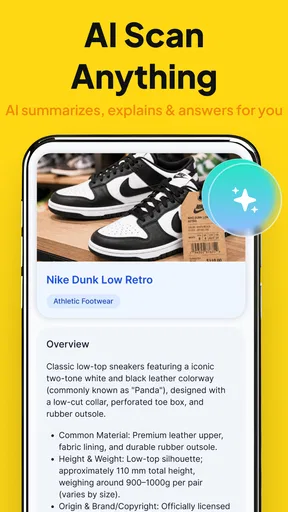
The barcode side broadens that usefulness, especially for people who check packaging while shopping or keep track of items at home. It is not a replacement for a specialist inventory system or a retailer’s own shopping tools, but it can be a handy first step when I want to identify a barcode and decide what to do next. I would treat it as a pocket utility, not as a guarantee that every product scan will produce the comparison or detail I have in mind.
How I would use it in practice
For a smooth scan, I would hold the phone steady, keep the code inside the camera view, and give the app a clear look at the printed pattern. If the first attempt misses, changing the angle or moving slightly closer is more useful than repeatedly tapping the screen. Glossy packaging, damaged print, glare, or a code displayed at low brightness can all make scanning less straightforward, so a little adjustment is often the sensible fix.
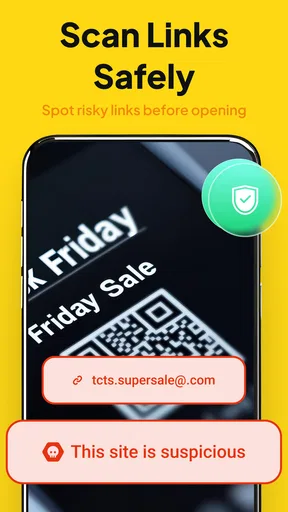
A practical routine is to scan a code when I have enough time to inspect what it opens. A QR code is only a doorway; it does not tell me whether the destination is trustworthy. If a code on a flyer or package opens a web address, I would pause and check that address before continuing, particularly if it asks for personal details or payment. That habit matters more than choosing one scanner over another.
I would also keep the job in mind before scanning. A QR code may encode plain text or contact information rather than a web page, and those results call for different next steps. If the information is something I may need later, I would save it deliberately in the appropriate place instead of assuming I can easily retrieve it from the scanning app. This small distinction helps keep a quick scan from turning into a lost note.
Where it fits among alternatives
Many phones already include QR scanning in the built-in camera, so I would not install a separate app just to scan a code once in a while. The camera is usually the simplest choice when it recognizes the code and provides the action I need. A dedicated scanner becomes more appealing when I want a tool centered on QR and barcode reading, or when I would rather keep that task separate from taking photos and recording video.
Worth Reading Before You Choose

EA SPORTS FC Mobile 26 Is a Bigger Football Game, but It Takes Time

Flipboard Shows What News Apps Must Do Beyond the Feed

Switching to Android Auto Means Rethinking Your Driving Routine

Google Calendar Makes a Crowded Week Easier to Manage

Ludo King Makes the Most of the Minutes Between Plans

Baby Panda World Brings Quick Play to Modern Phones, but Its Game Library Feels Busy
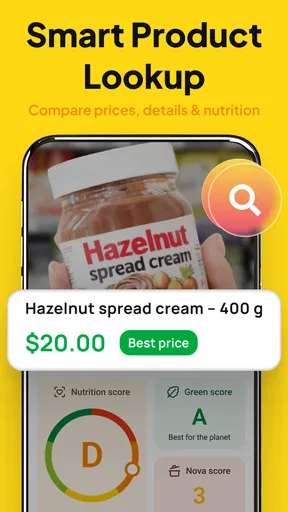
For regular product research, a shopping app or search engine may be more useful after the barcode has been read, because scanning alone is not the same as comparing prices or checking stock. For business stock control, a dedicated inventory tool is a better fit than a general scanner. The useful middle ground here is occasional, uncomplicated scanning: fewer steps than hunting for a tool, without pretending to replace services built for a more specific job.
Who should choose it
I can see this being a good fit for someone who scans different kinds of codes often enough to want a dedicated utility, but does not need advanced cataloguing or business workflows. It may also suit a less technical family member who values a direct route to scanning. If the phone’s built-in camera already handles every code they meet, though, another app may add little. I would also look elsewhere if my main aim were product price tracking, bulk scanning, or a managed inventory process.
The app is a free productivity tool from Eco Mobile Tools, with a 4.1 average from around 37 thousand ratings and over 5 million installs. It is rated for Everyone, and its current version is 4.3.2; the listed minimum operating-system requirement is version 7.0. Optional in-app purchases range from about fifty cents to nearly thirty-two dollars per item, so I would check the purchase screen carefully if I explored paid options rather than assuming every part of the experience is free.
Getting Started with QR Code Scanner Barcode Reader
The first thing I noticed when I downloaded the QR Code Scanner Barcode Reader was how lightweight it is. It didn't take up much space on my phone, and the installation process was a breeze. Once I opened it, the interface was super intuitive, almost like it knew exactly what I wanted to do.
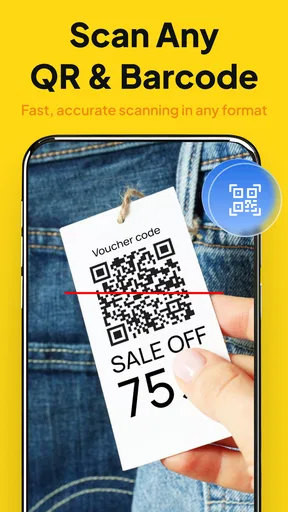
Right off the bat, the app's camera opened up, ready to scan. No fuss, no complicated menus — just point and shoot. I loved how quickly it captured the QR codes, almost instantaneously directing me to whatever content was linked. Whether I was scanning a URL, contact info, or even a Wi-Fi password, it handled everything with ease.
Features That Stand Out
Now, let's talk about some of the features that really impressed me. First up, this app isn't just limited to QR codes. It also supports barcode scanning, which is perfect for all those times you're out shopping and want to compare prices online. I found this super handy when I was trying to make sure I was getting the best deal on tech gadgets.
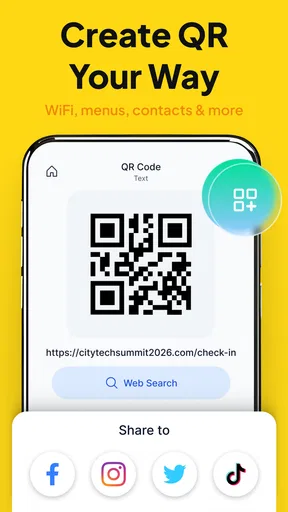
Another fantastic feature is the app's ability to create QR codes. Yes, you heard that right! With just a few taps, I was able to generate my own QR codes for URLs, text, and even my contact details. It's a great tool for anyone who needs to share information quickly and efficiently.
Performance and Usability
In terms of performance, the app is incredibly fast. I never experienced any lag, and the accuracy of the scans was spot on. It's also worth noting that it works seamlessly in low light conditions, which was a pleasant surprise. There's nothing worse than struggling to scan a QR code in a dimly lit room, but this app handled it like a champ.
One of the things I appreciated the most was the app's minimalistic design. It's not cluttered with unnecessary features or ads, which makes the user experience much more pleasant. Everything is laid out in a way that's easy to understand, even for those who might not be tech-savvy.
Privacy and Security
When it comes to privacy, the QR Code Scanner Barcode Reader app takes it seriously. It doesn't require any unnecessary permissions, which is a huge plus in my book. I didn't have to worry about my data being compromised, and that's something I really value in an app.
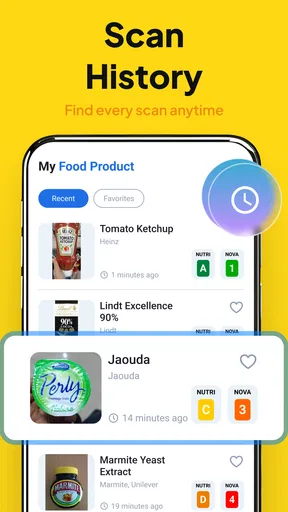
Additionally, the app doesn't store scanning history unless you choose to save it, which keeps your data private and secure. This gives me peace of mind, knowing that my personal information isn't being stored without my consent.
Conclusion: A Handy Tool for Everyday Use
All in all, the QR Code Scanner Barcode Reader is a fantastic tool that I find myself using more often than I expected. Its ease of use, speed, and reliability make it stand out among other similar apps. Whether you're a frequent QR code user or just need a reliable scanner now and then, this app is definitely worth checking out. Plus, with the added feature of creating your own QR codes, it offers a level of versatility that's hard to beat.
If you're interested in trying it out, you can find it on both Android and iOS. Trust me, once you've got it, you'll wonder how you ever managed without it!
Pros
- Fast and accurate scanning capabilities.
- Supports multiple barcode formats.
- User-friendly interface design.
- No internet connection required.
- Lightweight and quick to install.
Cons
- Contains in-app advertisements.
- Lacks advanced customization features.
- Occasional false positives in scans.
- Limited customer support options.
- No option for batch scanning.
FAQs for QR Code Scanner Barcode Reader
What features does the QR Code Scanner Barcode Reader offer?
The QR Code Scanner Barcode Reader app offers a range of features including the ability to scan and decode QR codes and barcodes quickly. It supports multiple barcode formats, provides instant results, and allows users to save scan history. Some versions may also offer additional features like generating QR codes and sharing them.
Is the QR Code Scanner Barcode Reader app free to use?
Yes, the QR Code Scanner Barcode Reader app is generally free to download and use. However, it may include in-app purchases or ads. Premium versions, which usually offer an ad-free experience and additional features, might be available for a fee. Always check the app store for specific pricing details.
What are the system requirements for the QR Code Scanner Barcode Reader app?
The system requirements for the QR Code Scanner Barcode Reader app vary depending on your device. Generally, it supports Android and iOS platforms. For Android, it typically requires version 5.0 (Lollipop) or later. On iOS, it usually requires iOS 10.0 or later. Make sure your device is compatible before downloading.
Does the QR Code Scanner Barcode Reader app store my data?
The QR Code Scanner Barcode Reader app might store your scan history locally on your device for convenience. However, it usually does not store personal data unless you explicitly permit it. Always review the app’s privacy policy to understand how your data is managed and ensure your privacy preferences are respected.
How accurate and fast is the QR Code Scanner Barcode Reader app?
The QR Code Scanner Barcode Reader app is designed to be both fast and accurate, typically decoding QR codes and barcodes in a matter of seconds. Its accuracy can depend on factors like the quality of the camera, lighting conditions, and the clarity of the QR code or barcode. Regular updates help maintain and improve performance.


